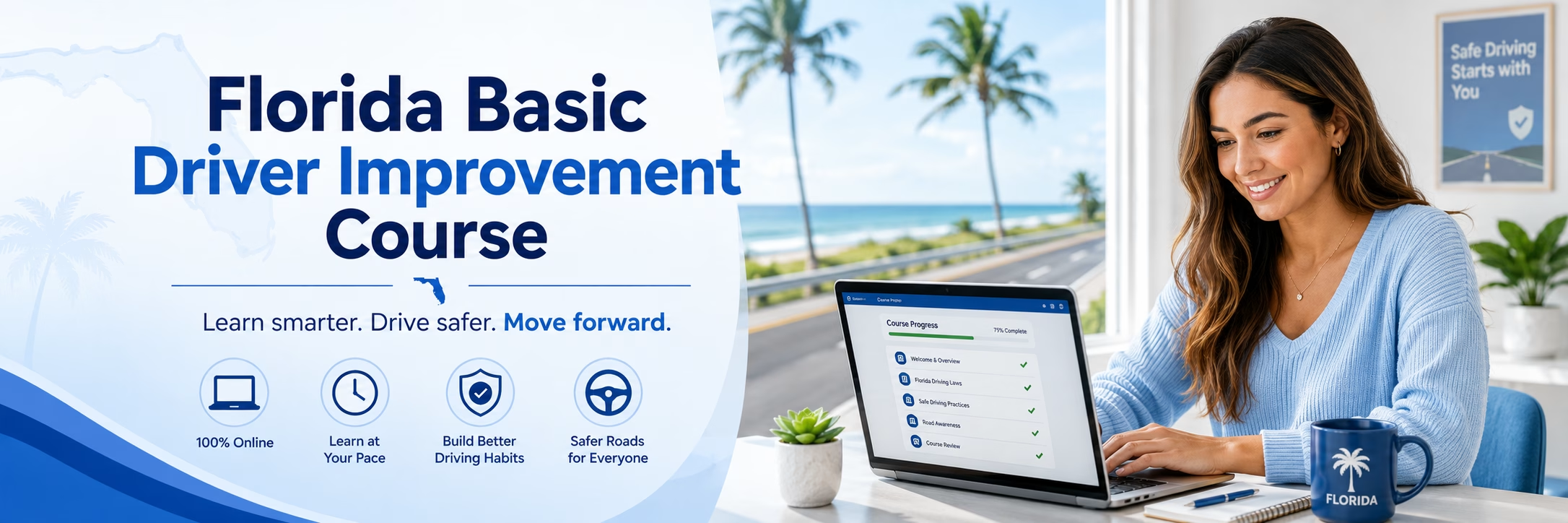

A court notice, insurance deadline, or licensing requirement does not always arrive when life is calm. If you are asking, can courses be paused, the answer is usually yes for online driver education. Most self-paced courses save your progress so you can sign out, handle your responsibilities, and return when you are ready.
That flexibility is one of the biggest advantages of taking an approved course online. Still, pausing does not remove every requirement. Course deadlines, state rules, identity checks, timers, and completion steps may still apply. Knowing the difference helps you choose a course and complete it without last-minute surprises.
Can Courses Be Paused During Online Driver Education?
In most online driver education, driver improvement, and traffic safety courses, you can pause between lessons or at another natural stopping point. Your account records the sections you completed, allowing you to resume from the same location later instead of starting over.
This makes online learning practical for drivers with work shifts, school schedules, family responsibilities, or limited uninterrupted time. You may complete one lesson on a phone during a break, then continue on a computer at home. The key is to log out properly or use the course’s save-and-exit option when it is available.
Pausing is not the same as skipping required material. Approved courses generally require you to complete every assigned section, spend the required amount of time in the program when applicable, and pass any required quizzes or final exam. The course can fit around your schedule, but the completion rules still apply.
Your Progress Is Usually Saved Automatically
Many online courses track progress as you finish each page, video, activity, or lesson. Others save progress after a knowledge check or when you select a button to continue. Because platforms vary, it is wise to verify that your completed section is marked before closing the browser or app.
Avoid relying only on your device staying open. A low battery, internet interruption, browser update, or accidental tab closure can affect an unfinished page. Completing a section before you step away gives you a clearer record of where to resume.
Some Activities Cannot Be Paused Mid-Session
A final exam, timed quiz, identity verification, or video segment may have different rules. Some systems require you to complete that activity once it begins. Others may let you stop but require the activity to restart when you return.
Read the instructions before beginning a timed portion. Set aside enough quiet time to focus, especially if the course is required by a court, DMV, employer, or insurance provider.
What Pausing a Course Does Not Change
The freedom to study at your own pace does not override the date on your traffic citation, court order, license application, or insurance request. If an agency requires proof of completion by a certain day, your course must be finished early enough for the certificate to be issued and submitted according to its rules.
State-approved programs can also have enrollment expiration periods. For example, a course may allow you to pause for days or weeks but require completion within a set number of months. That time frame is separate from your daily study schedule.
You should also expect standard course integrity measures. Depending on the program and your state, these may include identity validation questions, required timers, periodic attendance checks, or a final assessment. These steps help confirm that the enrolled student completed the approved training.
For that reason, the best question is not only whether you can pause. Ask how long you have to complete the course, whether any sections are timed, and what you need to do after passing.
How to Pause Without Losing Time or Progress
A self-paced course works best when you create a simple plan around the deadline. Start by finding the required completion date on your citation, court paperwork, DMV notice, or insurance instructions. Then allow extra time for the course certificate and any filing process.
Break the coursework into realistic sessions. A driver improvement course may be easier to complete in several short blocks, while a first-time driver education program may require a longer schedule. Do not wait until the final day to discover that a quiz, support request, or certificate delivery step needs attention.
Before pausing, confirm that the lesson shows as complete. Sign out rather than simply closing the browser when possible. If you switch devices, use the same account credentials and a reliable internet connection.
Keep these practical habits in mind:
- Save your username and password in a secure location so you can return easily.
- Use the course dashboard to check completed lessons and remaining requirements.
- Review the course expiration date after enrollment, not just your external deadline.
- Finish timed quizzes, exams, or verification steps in one uninterrupted sitting when required.
- Contact customer support promptly if your dashboard does not reflect completed work.
These small steps reduce the risk of repeating a lesson or missing a deadline because of an avoidable technical issue.
Choosing a Course That Fits Your Schedule
Convenience matters, but approval status matters more. Before enrolling, confirm that the course is accepted for your exact reason for taking it. A program approved for an insurance discount may not satisfy a court-ordered driver improvement requirement, and a teen licensing course may have different state rules than an adult traffic school course.
Look for clear information about the state or court approval, total course requirements, price, certificate process, device compatibility, and refund policy. A reliable provider should explain what happens after completion rather than leaving you to guess where the certificate goes.
Mobile access is especially useful when you expect to pause and resume frequently. However, use a device with a stable connection and enough battery life for quizzes and assessments. For longer lessons or final exams, many learners prefer a laptop or desktop because it is easier to read course material and avoid interruptions.
DriverEducators.com offers online courses designed for drivers who need approved education without arranging a classroom schedule. The right program depends on your state and requirement, so always select the course that matches the notice or purpose you received.
When You Should Not Wait to Resume
Pausing is helpful when it keeps you focused. It becomes a problem when it turns into a pattern of putting off a requirement with a firm deadline. Resume sooner rather than later if your court date is close, your license application is pending, or your insurer needs proof for a discount.
You should also return promptly after a failed quiz or interrupted assessment. Waiting can make it harder to remember the material, especially in courses covering traffic laws, alcohol and drug safety, distracted driving, or defensive driving techniques.
If you have a question about an approval requirement, certificate delivery, or course deadline, get clarification before the deadline is near. A support team can explain the course process, but only the court, DMV, insurer, or referring agency can confirm its own submission requirements.
Frequently Asked Questions
Can I leave an online driver education course and come back later?
Yes. Most self-paced online courses save completed progress and let you return through your account. Check that the lesson is marked complete before you exit.
Will I have to start over if I pause my course?
Usually, no. Completed lessons generally remain recorded, but an unfinished page, quiz, or timed activity may need to be restarted.
Is there a deadline to finish a paused course?
Usually, yes. Course enrollment may expire, and your court, DMV, or insurance deadline can be earlier. Check both dates when you enroll.
Can I pause during the final exam?
It depends on the course rules. Final exams and timed assessments may need to be completed in one session, so review the instructions before starting.
Can I use my phone and computer for the same course?
Often, yes. Sign in with the same account, and confirm your progress has saved before changing devices.
A paused course should give you breathing room, not create uncertainty. Choose an approved program, confirm the completion deadline, and make steady progress in the time you have available. That approach keeps the requirement manageable while helping you finish with confidence.